
UNDERSTAND DOMAIN NAME SYSTEM (DNS)
This blog is an excerpt from a live training session of the ABC OF CLOUD COMPUTING 2025 cohort.
On this week’s editorial, ABC OF CLOUD COMPUTING (CLOUD COMPUTING EMPOWERMENT) hosted a combined audience of 260 trainees from the Saturday and Sunday live training. The trainer, Solomon Francis Jeremiah, began the Saturday live training with a comprehensive guide to LinkedIn optimization. On Sunday, the trainer introduced a topic we will be discussing on this blog”

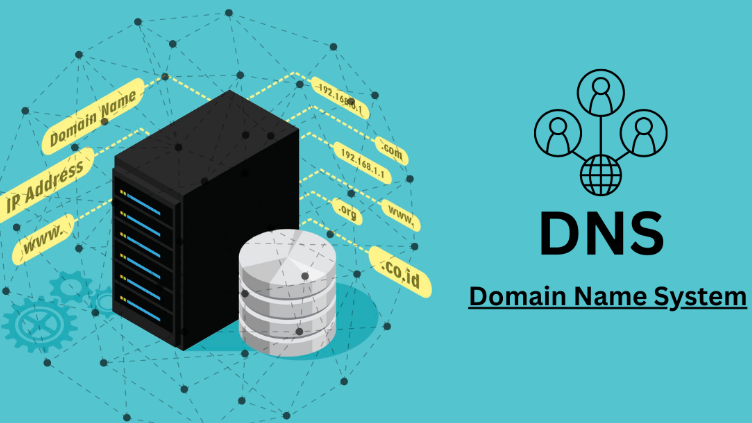
What is a Domain Name System (DNS) ?A DNS is a naming system that takes alphanumeric domain names (or “hostnames”) and turns them into numeric IP addresses. Essentially, DNS servers act as translators. When you input a web address into your browser, it is forwarded to a DNS server from your router, where it’s then dissolved and returned as an IP address.

Typically, computers communicate with numbers and not human readable alpahbets like humans do. What this means is that, for you to access your favourite site on the internet, you would have to search it with the Internet Protocoal (IP) address of that site. Imagine that each time you wanted to access YouTube to watch your favourite shows, you had to type out the numbers “142.251.188.190” or “2607:f8b0:400e:c1b::5b”, you would agree this would be very cumbersome and tasking, especially if you have to do this for many other sites. This is where DNS comes in. DNS help us map human readable adresses called Domain Names to IP addresses. Let us talk about domain names.
What is a Domain Name?A human-readable address used to access websites on the internet (e.g., example.com, google.com, facebook.com). This makes it easier for users to remember and access websites without needing to remember numerical IP addresses. A domain name is typically broken down into several parts, each serving a specific purpose:
1. Top-Level Domain (TLD):
- Definition: The last segment of a domain name, appearing after the final dot.
- Examples: .com, .org, .net, .uk.
- Purpose: Indicates the type or location of the domain.
2. Second-Level Domain (SLD):
- Definition: The main part of the domain name, located directly to the left of the TLD.
- Example: In example.com, example is the SLD.
- Purpose: Often represents the name of the organization, business, or entity.
3.Subdomain:
- Definition: An optional part of the domain name that appears before the SLD.
- Example: In blog.example.com, blog is the subdomain.
- Purpose: Used to organize different sections of a website or to create separate sites under the same domain.
Understanding these 3 concepts is very crucial in understanding how DNS works.
Let us go back to discussing DNS
How Does DNS Work?
Let us discuss how DNS work using a 6 way process
- User Request: When you type a domain name into your browser, a DNS query is initiated.
- DNS Resolver: The query is sent to a DNS resolver, usually managed by your Internet Service Provider (ISP).
- Root Server: The resolver contacts a root server, which directs it to the appropriate Top-Level Domain (TLD) server (e.g., .com server).
- TLD Server: The TLD server directs the resolver to the authoritative name server for the specific domain.
- Authoritative Name Server: This server provides the IP address associated with the domain name.
- Response: The resolver returns the IP address to your browser, which then connects to the web server to load the website.

Upon understanding how DNS works, let us examine another important aspect of DNS
What is a DNS record?DNS records (aka zone files) are instructions that live in authoritative DNS servers and provide information about a domain including what IP address is associated with that domain and how to handle requests for that domain. These records consist of a series of text files written in what is known as DNS syntax. DNS syntax is just a string of characters used as commands that tell the DNS server what to do. All DNS records also have a ‘TTL’, which stands for time-to-live, and indicates how often a DNS server will refresh that record.
A domain name and its matching IP address is called a “DNS record”.
Common Types of DNS Records- A Record – The ‘A’ in A Record stands for ‘address.’ This is the most popular DNS record type. Its function? Connecting your website domain or subdomain names, such as example.com or blog.example.com, to a numerical IPV4 address such as 127.0.0.1. Think of this as the home address of your website.


- AAAA Record – This behaves the same as the ‘A’ record but points the domain to an IPv6 address. The difference between IPv4 and IPv6 is the length of the IP address name from 32 bit to 128 bit consecutively. Because many domains use domain registrars, their nameservers have an IPv4 address, so an AAAA record is not present.
- CNAME Record – •CNAME stands for “canonical name” and will always point one name used by your website to your A record. To understand CNAME records, you first need to know about domain configuration – or the hierarchy of DNS records. Think of the A record as the one sitting at the top of the naming tree.

- •MX Record – Your MX or mail exchange DNS record always exists when you buy a domain, but you need to add your client-server mail name (e.g., is it Private Email, Office 365, Gmail, Protonmail, or something else?) to the record, so the domain knows which client to use. The DNS MX record needs the name of your chosen mail servers and something called a “priority value’ to work. Different mail providers have a different number of servers, and some have only one.

You need to have these records configured to receive mail to your domain.
- TXT Record – Provides the ability to associate other services, or sometimes your mail service, to your domain. This is to help humans using words recognize which server (or software) is using their system. You can add many TXT records to describe other numerical ideas.
In some scenarios, you might see a TXT record with an SPF (Sender Policy Framework), DKIM (DomainKeys Identified E-mail), and DMARC (Domain-based Message Authentication, Reporting, and Conformance) purposes.
From this we can understand that DNS and DNS records are essential components of the internet, translating human-readable domain names into IP addresses that computers understand. These records not only enable website access but also play a crucial role in email delivery, security, and service configurations. Proper management of DNS records ensures seamless connectivity, enhances security, and improves website performance.
Now that you have understood how DNS works, what next?
- “Like this post” = A Record – Directs people straight to the content (IP address) so they know it exists. No A record? Your post is lost in the void.
- “Share this post” = CNAME Record – Creates an alias so others can spread your content across platforms like a content delivery network (CDN).
- “Comment below” = MX Record – Ensures smooth communication, just like how an MX record directs emails to the right mail server. Without it, your inbox (or comment section) stays empty!
“So, if you don’t like, share, and comment, it’s like having a website with no DNS—nobody will ever find it!”
To the cloud and beyond 🚀🚀🚀
Written by: Felix Williams
Editor: Solomon Francis Jeremiah


